



Hello, Wydians!
We know that in-game inventory space has been a challenge for those who never miss an event and love collecting iconic skins. To address this, and ensure you never have to discard a rare skin due to a lack of space, we are introducing a practical, modern solution that is 100% focused on the user experience.
Introducing the Virtual Inventory, a system fully linked to your account and accessible directly through our website!
Virtual Inventory
The concept is simple: the virtual inventory serves as an "extended Cargo Guard" on the web. You send your cosmetics and free up space within the game.
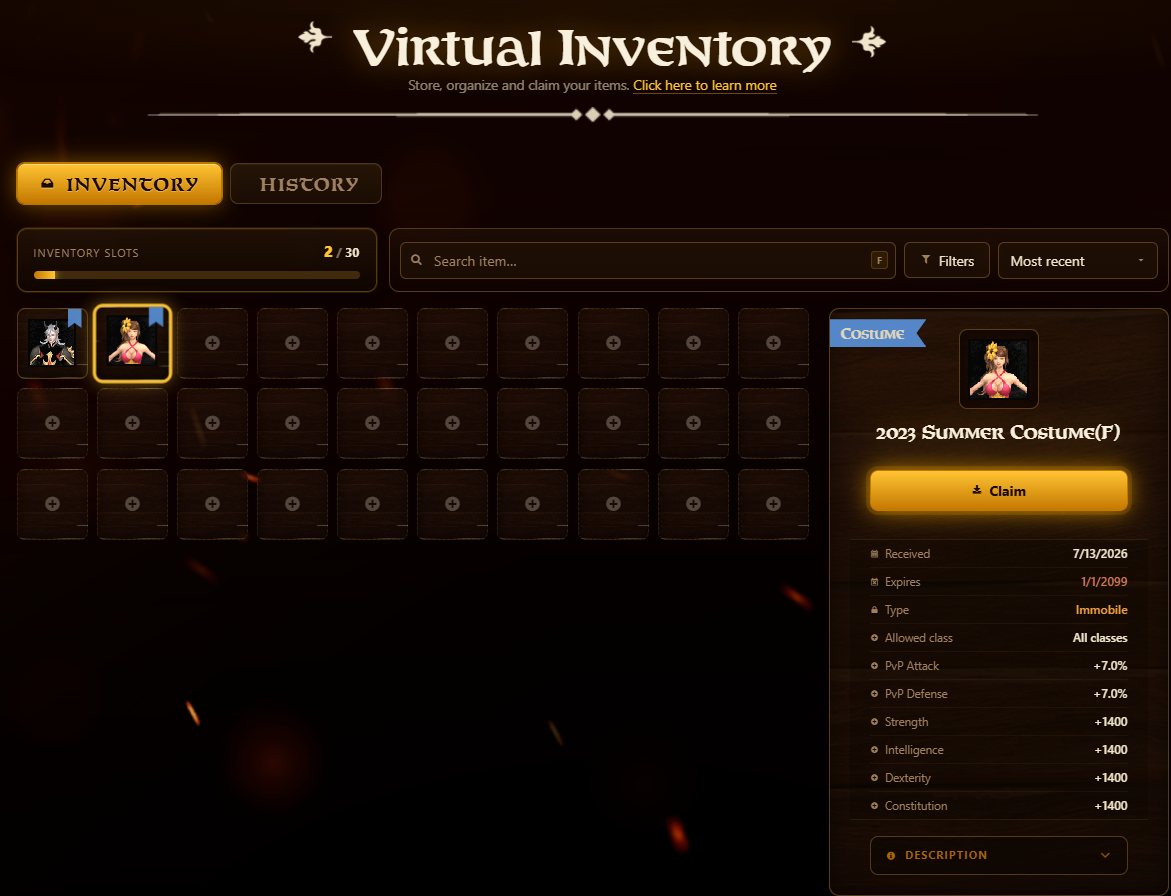
- Free capacity: Every player automatically receives 30 fixed, free slots on the site, with no maintenance costs.
- Supported items: Character Costumes and Mount Skins.
- Zero combat advantage: This system is purely cosmetic and for convenience. It does not alter your character's attributes.
The Flow: Sending and Claim
To ensure economic stability and an organized flow, the transport of items operates as follows:
1. Uploading to the Web
To move a cosmetic item from the game to the website, you will need a new consumable available at Premium Neil: the Virtual Capsule.
- Cost: 200 NP per unit.
- How to use: Simply use the capsule on the desired cosmetic in your local inventory. Both items will disappear from the game, and the cosmetic will instantly appear on your website dashboard.
- Note: The Virtual Capsule is stationary.
2. Bringing It Back into Play
Missing that old skin, or want to switch up your look for the weekend?
- The withdrawal process from the gaming site is completely free and unlimited.
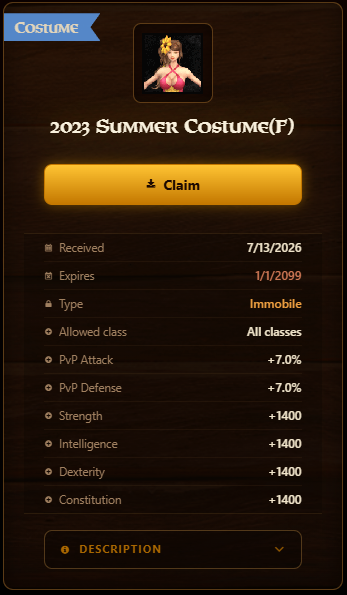
- How to use: Select the skin you wish to withdraw from the Virtual Inventory and check all the item details. Click the "Claim" button below the skin's name; a confirmation pop-up will appear, verify the information and proceed with the confirm claim.
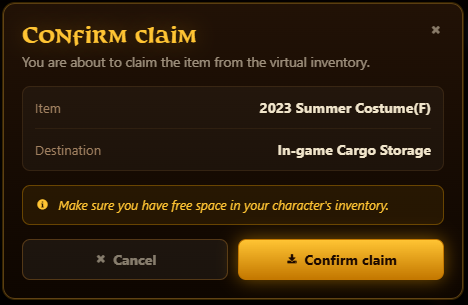
Attention:
Check all the information for the selected skin, as you will need to use the Virtual Capsule item to save the skin again.
- Actions considered abusive or irregular will be analyzed by the game team, and if confirmed, may result in punishment, in accordance with the internal conduct policy.
- The attribute points granted by costumes and items do not scale in the same proportion as the attribute points obtained from the character's level progression.
- If your Virtual Inventory is full and you send a skin, both the cosmetic and the Virtual Capsule will be automatically redirected to your in-game Cargo-Guard.
Best regards,
WYD Global Team.